I could have used Hugo. I could have spun up a WordPress instance. I could have picked any of the hundred static site generators that would have given me a working blog in an afternoon.
Instead, I spent weeks building a custom blog engine in Rust.
Was it necessary? Absolutely not. Would I do it again? In a heartbeat.
The Itch
Every few years, I get the urge to rebuild my personal website. The old one was fine — some static HTML, hosted on GitHub Pages, perfectly functional. But "functional" isn't the point of a side project.
I wanted to learn Rust web development. Not from tutorials, not from toy examples — from building something real that would actually run in production. A blog engine is the perfect scope: complex enough to be interesting, simple enough to finish.
So I started Nebula.
The Stack
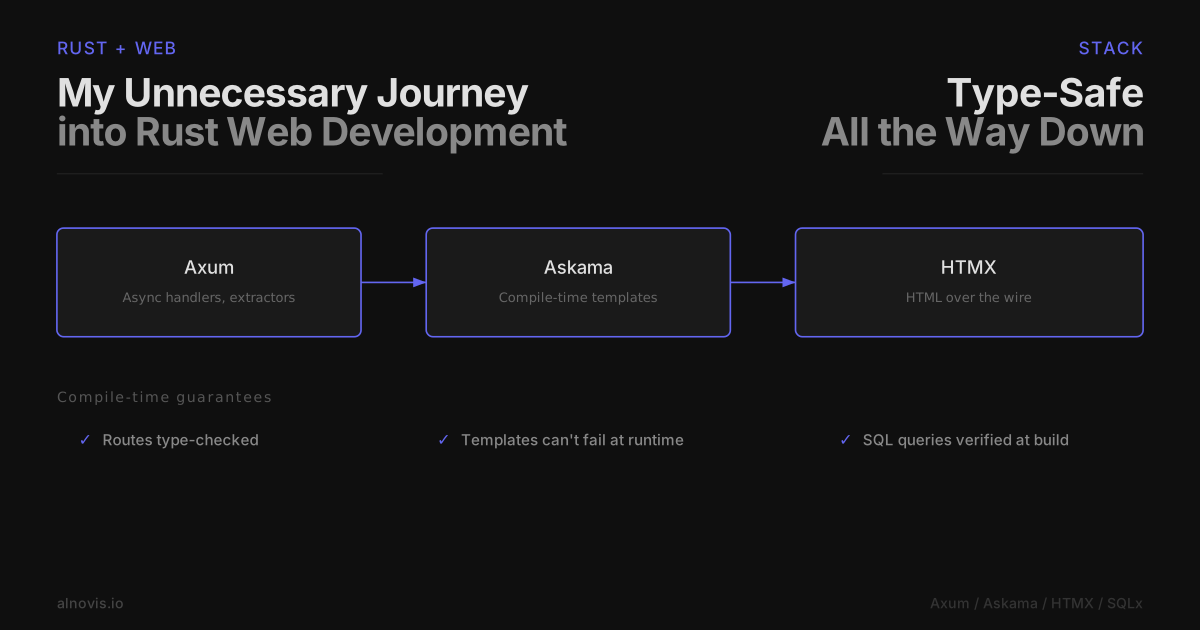
Axum: Rust Web That Doesn't Hurt
My biggest fear with Rust was fighting the borrow checker on every HTTP request. Axum changed my mind.
pub async fn show(
    State(state): State<AppState>,
    Path(slug): Path<String>,
) -> Result<Html<String>, StatusCode> {
    let content = state.content.read().await;
    let post = content.posts.get(&slug).ok_or(StatusCode::NOT_FOUND)?;
    // ...
}
Look at that. The type signature tells you everything: this function needs app state and a URL path, and might return a 404. The compiler enforces it. No null pointer exceptions at 2 AM.
Axum sits on top of Tokio and Tower, which means you get async I/O and composable middleware for free. Adding gzip compression was one line. CORS? One line. Request logging? One line.
Askama: Templates That Can't Fail
Runtime template engines have a nasty habit of failing in production. Typo in a variable name? You find out when a user hits that page.
Askama compiles templates at build time:
#[derive(Template)]
#[template(path = "blog/post.html")]
struct BlogPostTemplate<'a> {
    title: &'a str,
    content: &'a str,
}
If my template tries to use {{ titl }} instead of {{ title }}, compilation fails. Not deployment. Not runtime. Compilation. I've grown to love this.
HTMX: JavaScript Minimalism
I didn't want to build a React app. I didn't want to maintain a separate frontend. I wanted to write Rust on the server and have things work.
HTMX lets you add interactivity with HTML attributes. The server returns HTML fragments, not JSON. No client-side state management. No hydration. No build step for the frontend.
For a blog, this is perfect. The contact form submits via HTMX, shows a success message, and that's it. Total JavaScript on the site: HTMX (~14KB) and Cloudflare analytics. That's it.
SQLx: SQL Without the Fear
SQLx checks your queries at compile time against the actual database schema:
let posts = sqlx::query_as!(
    Post,
    "SELECT id, title, slug FROM posts WHERE published = true"
)
.fetch_all(&pool)
.await?;
If I misspell a column name, the compiler catches it. If I change the schema and forget to update a query, the compiler catches it. Sensing a pattern?
Decisions I'm Happy With
Content as Files
Blog posts live as Markdown files in a content/ directory, versioned with Git. No admin panel, no database for content. I write in my editor, commit, push.
---
title: "My Post"
date: "2025-01-06"
tags: ["rust"]
---

Content here...
Simple. Portable. Backed up by Git history.
Hot Reload Without Redeploy
Editing content on the server is easy — SSH in, change the Markdown file. But the app caches content in memory. Solution: an admin endpoint.
curl -X POST "https://alnovis.io/admin/reload?secret=..."
Edit file, call endpoint, changes live. No Docker rebuild. No CI pipeline. Instant.
Cloudflare for Everything
DNS, CDN, SSL, analytics — all in one place. Origin certificates mean I never deal with Let's Encrypt renewals. Web Analytics gives me visitor stats without cookie banners. Email routing forwards contact form messages.
One dashboard. Zero infrastructure headaches.
The Numbers
For a blog that gets maybe a few hundred visitors a day, performance metrics are academic. But still:
- Response time: <10ms for most pages
- Memory: ~20MB under load
- Binary size: 15MB
- Cold start: negligible
The entire site could probably run on a Raspberry Pi.
What I Actually Learned
Rust web development is ready. The ecosystem has matured. Axum, SQLx, Askama — these are production-quality tools. The learning curve is real, but the compiler catches so many bugs that would have been 3 AM production incidents in other languages.
Compile-time checks change how you work. When the compiler verifies your SQL queries, your templates, and your type conversions, you stop being afraid of refactoring. Change a struct field? The compiler shows you every place that needs updating.
Simple architectures are underrated. One binary. One database. No microservices. No message queues. No Kubernetes. It runs on a $6/month VPS and handles everything I throw at it.
Over-engineering is fine for side projects. Yes, Hugo would have taken an afternoon. But I wouldn't have learned anything. The point of Nebula wasn't to have a blog — it was to understand Rust web development deeply enough to use it for real work.
What's Next
Nebula is on GitHub. It's not a general-purpose blog engine — it's tailored to my needs. But if you're curious about Rust web development, the code might be interesting.
On my list for the future:
- Image optimization
- Full-text search
- Better RSS feed
For now, I finally have a place to write about the other things I'm building. More posts coming soon.