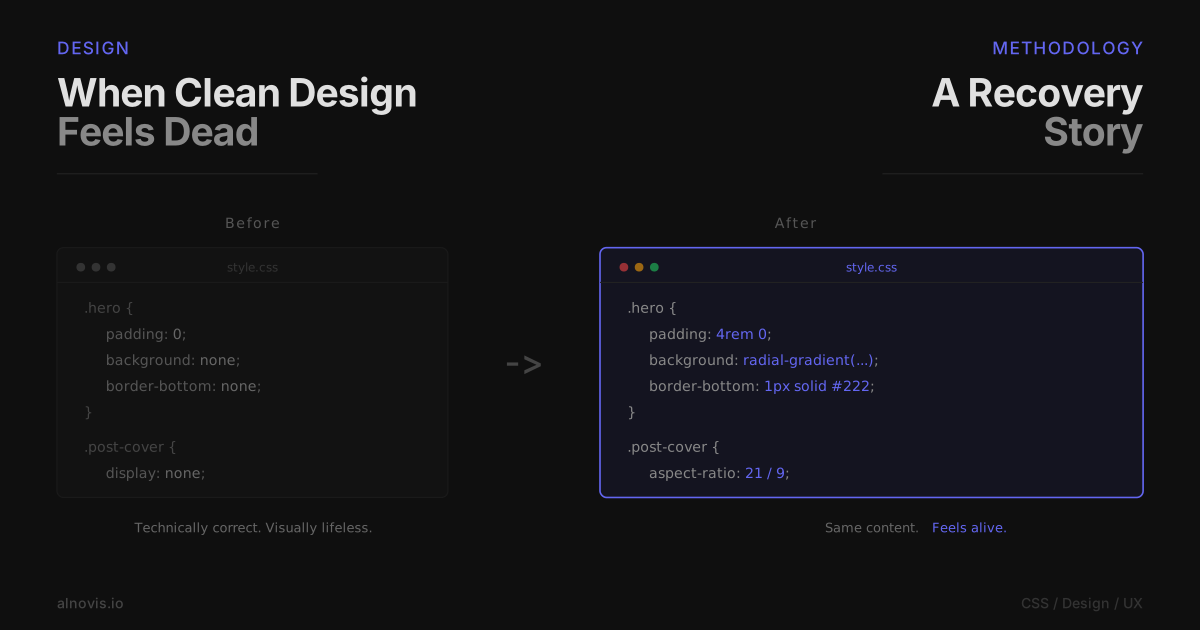
I built this blog with Rust, Axum, and HTMX. It was fast. It was minimal. It was... boring.
Don't get me wrong — I love minimalism. But there's a difference between "clean" and "lifeless." My blog was firmly in the latter category. White text on dark background, no images, no personality. It looked like a terminal that learned HTML.
So I decided to fix it.
The Spark
It started with a WordPress article about blog design best practices. The usual stuff: use images, add visual hierarchy, make it scannable. Nothing revolutionary.
But one line stuck with me: "Your blog should feel like a place, not a document."
I looked at my blog. It felt like a README file.
The Philosophy
I didn't want a complete redesign. That's a rabbit hole. I've seen it happen — someone decides to "quickly update the design," and three weeks later they're still tweaking border-radius values while the actual content rots.
Instead, I committed to small, iterative changes. Each tweak had to be:
- Reversible — if it didn't work, I'd revert immediately
- Testable — I could see the effect instantly
- Independent — it shouldn't break other things
This turned out to be the key insight. Instead of spending weeks on a redesign that might not work, I spent hours on tiny improvements with immediate feedback.
The Visual Layer
Hero Section: Creating Depth
The hero section was just text on a flat background. Functional, but dead.
I added a subtle gradient — a radial glow emanating from the top. The color? Indigo (#6366f1), matching the accent throughout the site. Nothing dramatic, just enough to create the illusion of depth.
.hero {
    background:
        linear-gradient(to bottom, var(--color-bg), transparent 15%),
        radial-gradient(ellipse 100% 70% at 50% -10%,
            rgba(99, 102, 241, 0.18), transparent 60%);
}
Here's what I learned: you almost always need to layer gradients. A single radial gradient creates a harsh edge where it ends. Adding a linear gradient on top softens that transition. It took me three attempts to get this right.
Cover Images: The Visual Anchor
A wall of text is exhausting. Even well-written text. Your eyes need places to rest.
I added support for cover images — a cover_image field in the YAML frontmatter. Simple, but the effect was dramatic.
On the blog list, posts with covers use a two-column grid: image on the left, text on the right. The image acts as a visual anchor, helping readers scan the page.
.post-item.has-cover {
    display: grid;
    grid-template-columns: 180px 1fr;
    gap: 1rem;
}
On the post page itself, the cover becomes a cinematic banner with a 21:9 aspect ratio:
.post-hero {
    aspect-ratio: 21 / 9;
    overflow: hidden;
}
Why 21:9? It's wide enough to feel immersive without dominating the page. The image sets the mood, then gets out of the way.
The Favicon Journey
This sounds trivial, but it wasn't. I had a logo — a stylized "A" with a circuit board pattern. Converting it to a favicon required:
- Removing the white background (but keeping the white elements inside the letter)
- Generating multiple sizes: 16px, 32px, 48px, 180px, 192px
- Adding proper
<link>tags for different devices
The tricky part was step 1. My first attempt used ImageMagick's -transparent white — which removed ALL white pixels, including the letter itself. I ended up with an empty square.
The solution was flood fill from the corner:
convert logo.png -fill none -draw "color 0,0 floodfill" favicon.png
This only removes white pixels connected to the edge, preserving internal white elements.
Small detail, big difference. The browser tab now has an identity.
The Performance Layer
Design isn't just how it looks. It's how it loads.
Critical CSS: The First Paint
Modern browsers are fast, but network latency isn't. If your styles are in an external file, the browser has to:
- Parse the HTML
- Discover the CSS
<link> - Fetch the CSS file
- Parse the CSS
- Finally render
That's a lot of round trips before anything appears on screen.
The solution: inline critical CSS directly in the <head>. Layout rules, typography, colors — everything needed for the first paint. The rest loads asynchronously:
<link rel="stylesheet" href="/static/css/style.css"
      media="print" onload="this.media='all'">
The media="print" trick tells the browser "this isn't needed for screen rendering" — so it loads without blocking. Then onload switches it to media="all", applying the full styles.
Result: the page appears instantly. Full styles load in the background.
Fighting CLS: The Layout Shift Problem
Cloudflare's analytics showed red numbers for CLS (Cumulative Layout Shift). Elements were jumping around as the page loaded.
The culprit? Images and lists without reserved space.
When an image loads, it has dimensions. But before it loads, the browser doesn't know how big it will be. So it renders with zero height, then suddenly expands — pushing everything else down.
The fix is aspect-ratio:
.post-cover {
    aspect-ratio: 16 / 10;
}

.post-hero {
    aspect-ratio: 21 / 9;
}
Now the browser reserves exactly the right amount of space before the image loads. No layout shift.
For lists, I added min-height and explicit grid layouts. For the hero subtitle, a minimum height prevents the text from causing reflow.
CLS went from red to green.
CDN Fallback: The Russia Problem
This is a weird one. Some ISPs in Russia use deep packet inspection (DPI) to block certain domains. Not for censorship reasons — they're trying to block specific content, but their filters are crude and catch CDN domains in the crossfire.
Result: visitors in Russia couldn't load HTMX from jsdelivr.
The solution is a fallback chain:
var cdns = [
    'https://cdn.jsdelivr.net/npm/[email protected]/dist/htmx.min.js',
    'https://cdnjs.cloudflare.com/ajax/libs/htmx/1.9.10/htmx.min.js',
    'https://unpkg.com/[email protected]/dist/htmx.min.js'
];

function tryNext(index) {
    if (loaded || index >= cdns.length) return;
    loadScript(cdns[index], function() {
        if (!loaded) tryNext(index + 1);
    });
}
If jsdelivr fails, try cdnjs. If cdnjs fails, try unpkg. Usually one of them works.
But there's a second problem: the DPI might block the external script request entirely. So I also inline the loading code directly in the HTML. External scripts are a fallback for caching benefits — but the inline version runs first.
Belt and suspenders.
The UX Layer
Reading Time: Setting Expectations
A small thing that matters more than you'd think. When you see "12 min read" next to an article, you know what you're committing to.
The calculation is simple: word count divided by average reading speed (roughly 200-250 words per minute). I round up to be honest with the reader.
Back to Top: Respecting Long Reads
For posts longer than a few screens, a floating button appears after scrolling past 300 pixels. Small, unobtrusive, in the corner.
window.addEventListener('scroll', function() {
    backToTop.classList.toggle('visible', window.scrollY > 300);
});
It sounds unnecessary until you've scrolled through a 3000-word technical post and want to check the table of contents.
Share Buttons: Enabling Distribution
At the bottom of each post: Twitter/X, LinkedIn, and Telegram. Three buttons, three links.
No JavaScript widgets. No tracking pixels. No "share count" that makes you feel bad about your numbers. Just clean URLs that open native share dialogs:
<a href="https://twitter.com/intent/tweet?url={{ url }}&text={{ title }}">
    Share on Twitter
</a>
Privacy-respecting and instant.
Mermaid Diagrams: Visualizing Architecture
Technical posts benefit from diagrams. But most diagramming tools are heavyweight — they add hundreds of kilobytes of JavaScript.
Mermaid is different. You write diagrams in text, and it renders them as SVG:
flowchart TD
    A[Browser] --> B[Server]
    B --> C[Database]
The key optimization: lazy loading. The Mermaid library only loads if the page contains a .mermaid element:
if (document.querySelector('.mermaid')) {
    import('https://cdn.jsdelivr.net/npm/mermaid@10/dist/mermaid.esm.min.mjs')
        .then(m => {
            m.default.initialize({ theme: 'dark' });
            m.default.run();
        });
}
No diagrams on the page? Zero JavaScript loaded.
I spent time configuring the theme to match the site's dark aesthetic — indigo primary color, dark backgrounds, subtle borders. Diagrams should feel native, not like embedded widgets.
The Lessons
Iteration beats perfection
Every change was immediately visible. Bad ideas got reverted in seconds. Good ideas built on each other. This feedback loop is invaluable.
The alternative — spending weeks on a design in isolation, then unveiling it — almost always disappoints. You lose perspective. Small flaws become invisible. Big problems only appear in production.
Performance is design
A beautiful page that takes 3 seconds to load feels worse than a plain page that appears instantly. CLS, LCP, FCP — these metrics aren't just SEO concerns. They're user experience.
The reader doesn't consciously think "this site has good Core Web Vitals." They think "this site feels fast" or "this site feels sluggish." The metrics are just measuring what users already feel.
Edge cases are real cases
The Russia CDN issue affected a small percentage of visitors. I could have ignored it. But those visitors are real people who wanted to read my content.
Fixing edge cases is where craft lives. Anyone can make something that works for the happy path. Making it work for everyone is harder — and more satisfying.
Minimalism isn't absence
This is the big one.
I used to think minimalism meant removing things. It doesn't. It means being intentional. Every element should earn its place.
But "earning its place" doesn't mean "being absolutely necessary for survival." The gradient in the hero section isn't necessary. The site would work without it. But it adds depth, warmth, personality. It earns its place by making the experience better.
Minimalism with no soul is just emptiness.
The Result
The blog still feels minimal. But now it has personality.
The gradient gives depth. The images provide visual anchors. The share buttons invite engagement. The performance optimizations make it feel instant.
Most importantly, it feels like a place now. Not just a document.
The best time to improve your design was when you launched. The second best time is now. And unlike most "best time" aphorisms, this one actually lets you iterate.